Local SEO and Google Business Profile: a guide for local businesses
How local search works and what to do about it: Google's three local ranking factors, how to set up and maintain your Google Business Profile, and a simple monthly routine for local businesses.
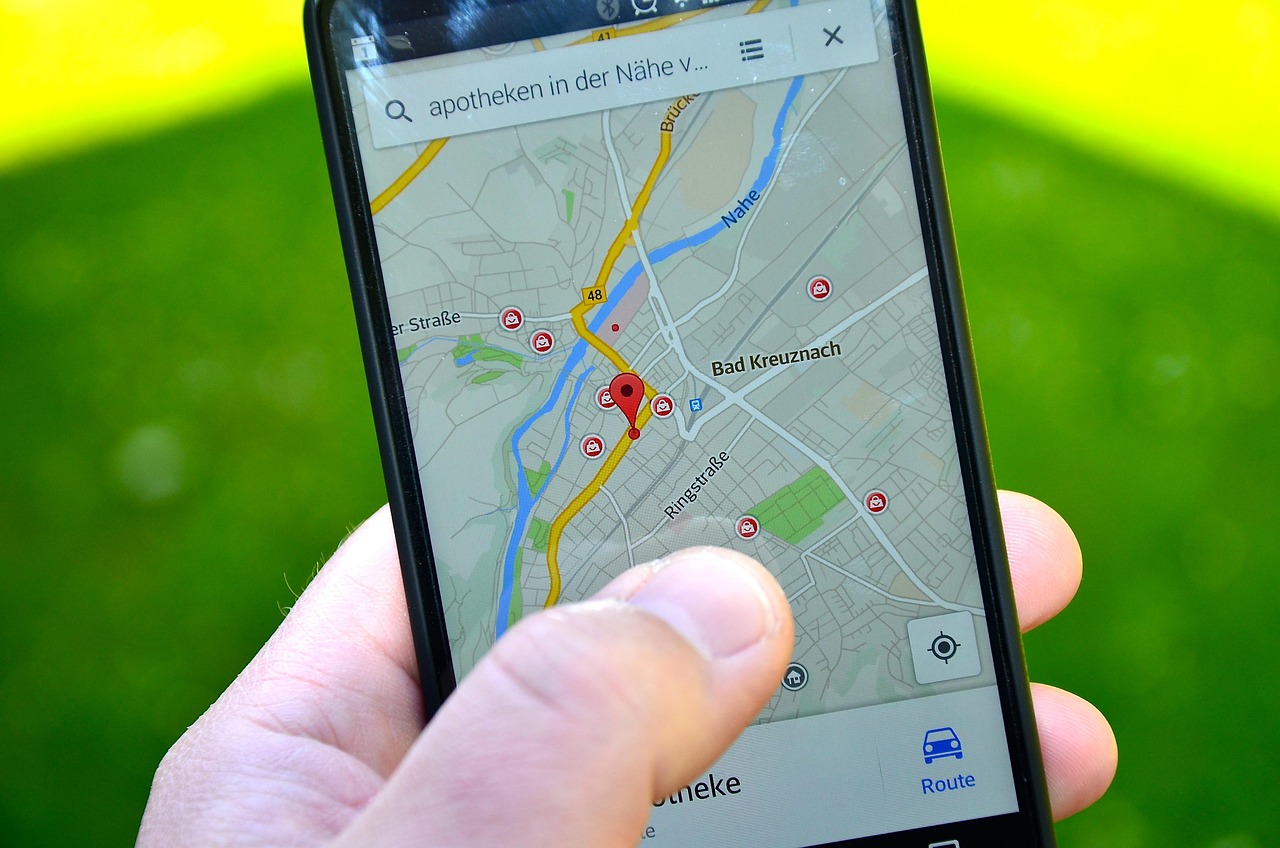
When someone searches for "plumber near me" or "bakery open now", Google shows a map and a short list of local businesses before most of the regular results. For a business that serves a town or a region, that list is often where the phone rings. The good news is that the factors behind it are fairly simple, and a small business can influence most of them.
This guide explains how local results are decided, how to set up and maintain your Google Business Profile, and how to support it with your website. It is written for owners who have a few hours a month, not a marketing department.
How Google decides who shows up locally
Google's help pages say local results rest mainly on three factors. They are worth memorising, because every tip below maps back to one of them.
| Factor | What it means | Can you change it? | |---|---|---| | Relevance | How well your listing matches what the person searched for | Yes, with complete, accurate information | | Distance | How close you are to the searcher | No | | Prominence | How well known you are, helped by links from other sites and by reviews and ratings | Yes, over time |
Google also states, in its guidance on improving your local ranking, that local rankings cannot be requested or paid for. Anyone selling a guaranteed top spot is not describing how the system works.
Set up your Google Business Profile
Claim and verify
Search for your business name on Google and Maps. If a listing exists, claim it; if not, create one. Then complete verification, so Google treats you as the authorized owner. Use one profile per physical location, and keep it under an account the business controls rather than a former employee's personal one.
Fill in every field
Complete information helps Google match you to searches.
- Name: your real, everyday business name, with no added keywords.
- Category: choose the main category that best describes what you do, then add secondary ones where they honestly apply.
- Address or service area: be accurate, and if you visit customers rather than host them, set a service area.
- Hours: keep regular hours correct and add special hours for holidays.
- Phone and website: use a number you answer.
- Attributes and services: parking, accessibility, payment types, and a clear list of what you offer.
- Photos: real pictures of your premises, work and team, updated regularly.
Follow the content rules
Google publishes policies on what may appear on profiles. According to its prohibited and restricted content policy, listings should stay free of time-limited promotions, pricing and direct calls to action, and violations can lead to content removal or even account termination. Read it before you add anything unusual.
Make your website agree with your profile
Your site and your profile should tell the same story. Google's SEO starter guide suggests unique page titles that include a business name or location where it helps, so mention your town naturally.
A simple local page structure
- Home page: what you do, where you do it, how to contact you.
- One page per main service: a specific page ranks better than a vague "services" page.
- One page per location, if you have several: unique details, not copied text.
- Contact page: address, phone, hours, and a map.
- About page: who you are and how long you have been serving the area.
Keep your details consistent
Use the same business name, address and phone number everywhere: your website, profile, social accounts and directories. Inconsistent details confuse customers and make it harder for search engines to treat the listings as one business.
Local links build prominence
Prominence is partly about who links to you. Realistic sources include:
- Your chamber of commerce or local business association.
- Suppliers and partners who can list you on their sites.
- Local sponsorships, charities and events.
- Local news mentions when you do something notable.
Reviews and replies
Google counts the number and rating of reviews as part of prominence. Replying also shows that a real person is paying attention. Keep replies short, polite and professional, avoid pasting the same line into every response, and never share private details about a customer. The full approach, including what is not allowed when asking, is in our guide to getting customer reviews ethically.
A monthly routine
- Check hours, phone number and holiday hours.
- Add two or three new photos.
- Reply to every new review.
- Update services or attributes if anything has changed.
- Review how people find and contact you from your profile's performance information.
- Note any new links or mentions you could pursue.
Common mistakes
- Adding extra keywords to your business name. It is against the rules and can get a profile suspended.
- Creating multiple profiles for one location.
- Leaving old hours up after a change.
- Using a virtual office or someone else's address.
- Ignoring reviews, especially critical ones.
- Posting promotions and prices in places the policy does not allow.
- Letting the website and profile disagree.
- Expecting results in a week rather than over months.
Where WorkBOS fits
WorkBOS does not manage your Google Business Profile for you. What it can do is support the routine around it. Use projects and tasks to turn the monthly checklist into recurring jobs with an owner, the CRM to keep customer contacts and follow-up notes in one place, and surveys or forms to gather private feedback after a job. Check pricing for plans, the docs for setup, and the Academy for walkthroughs. Local visibility sits on top of the basics in our SEO basics guide.
Frequently asked questions
Q: Is a Google Business Profile free? A: Yes. Creating and managing one costs nothing, and Google says rankings cannot be bought.
Q: What are the main local ranking factors? A: Relevance, distance and prominence, according to Google's help documentation.
Q: Can I have a profile if I have no shop? A: Many service businesses that travel to customers can have a profile with a service area. Follow Google's eligibility rules and be accurate about how you operate.
Q: How long until I see results? A: There is no fixed time. Accurate details can help quickly, but prominence from reviews and links builds over months.
Q: Should I put my prices on the profile? A: Be careful. Google's content policy restricts time-limited promotions and pricing in some places on listings, so read the current rules first.
Sources are linked in the text above: Google Business Profile Help (local ranking and content policy) and Google Search Central's SEO starter guide.
Run it all from one place
Projects, clients, finance, people and AI employees in one system. Start free, no card needed.
Start free →