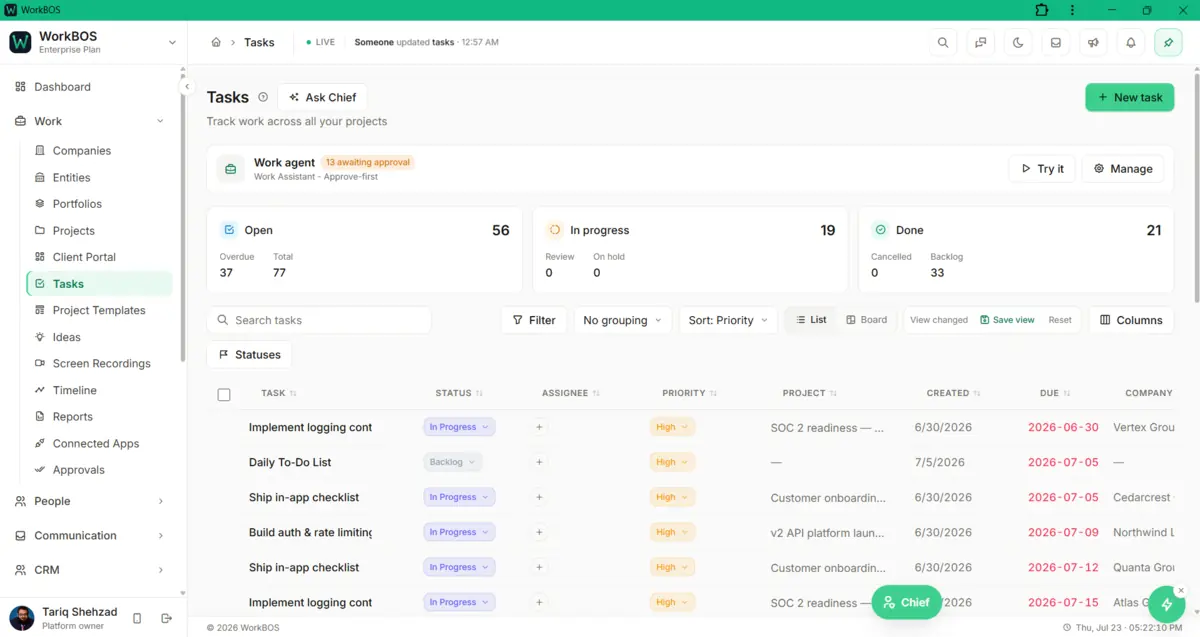
A task board that flags what’s late before anyone has to ask
Tasks carry subtasks, a checklist, comments and a timer, and dragging one to a new column is the whole status update. The project itself is just as editable: any field, from progress to the project manager, saves the moment you click it.
Free for up to 5 users. Pro free for 30 days. No card.
Why this exists
- A task lives in a chat message, a spreadsheet or someone’s memory, and two of the three forget it.
- Knowing what is overdue, or who is carrying too much of it, means asking around rather than looking in one place.
- The hours a piece of work actually took get guessed at on Friday instead of recorded while the work happens.
What it does
What it does
01Edit the project without opening a form
Name, status, priority, company, portfolio, project manager, dates, progress and description are each editable right on the project record. Statuses are yours to define too: rename, reorder or recolour them from the Statuses button, and every project picks them up.
02Break work into tasks, subtasks and a checklist
A task carries its own subtasks with a live done count, a separate checklist for steps too small to be their own task, threaded comments, and colour tags you create once and reuse on any task afterwards.
03See it as a board, not just a list
Switch to Board view and every task becomes a card in its status column. Drag one to a new column and that is the status update, with no dropdown and no separate save required.
04Track time without leaving the task
Start a live timer or log minutes by hand with a note attached, and the total sits on the task for anyone who opens it. A header chip keeps a running timer visible and stoppable from anywhere else in the app.
05Keep the small stuff attached, not lost in chat
Follow a task to hear about it without owning it, and set a personal reminder that fires as a notification just for you. Repeat one daily, weekly, every two weeks or monthly, and completing it spawns the next occurrence automatically.
The honest part
What it does not do
The part you would otherwise find out in week three. If one of these is central to how you work, raise it before you buy rather than after.
Questions
Questions, answered
Can one task depend on another?
No. There is no dependency link between tasks, so nothing here blocks a task until another finishes, or reschedules a chain automatically when a date slips. Each due date is moved by hand.
Can I bill a client for tracked time?
Not from here. A timer records minutes against a task and who logged them, but there is no billable flag and no rate on an entry, so it cannot become an invoice line. If turning tracked hours into a bill matters to you, raise it before you buy.
Is this a kanban board, or a task list?
Both, and they are the same data. Switch views and a task becomes a card in its status column; drag it to a new column and that is the status update, with nothing else to keep in sync.
What happens to a project I delete?
It moves to Trash rather than disappearing. Its tasks move with it, and an owner or admin can restore the whole thing for 30 days.
The full product documentation for this module is at /docs/work.
Read next
Every plan
Tasks, timeline and ideas
Every plan
Teams and workload
Pro and up
Portfolios
Try it on your own data
Every module is in the same workspace, so nothing needs connecting to anything.
Free for up to 5 users. Pro free for 30 days. No card.