The report that builds itself from data you already have
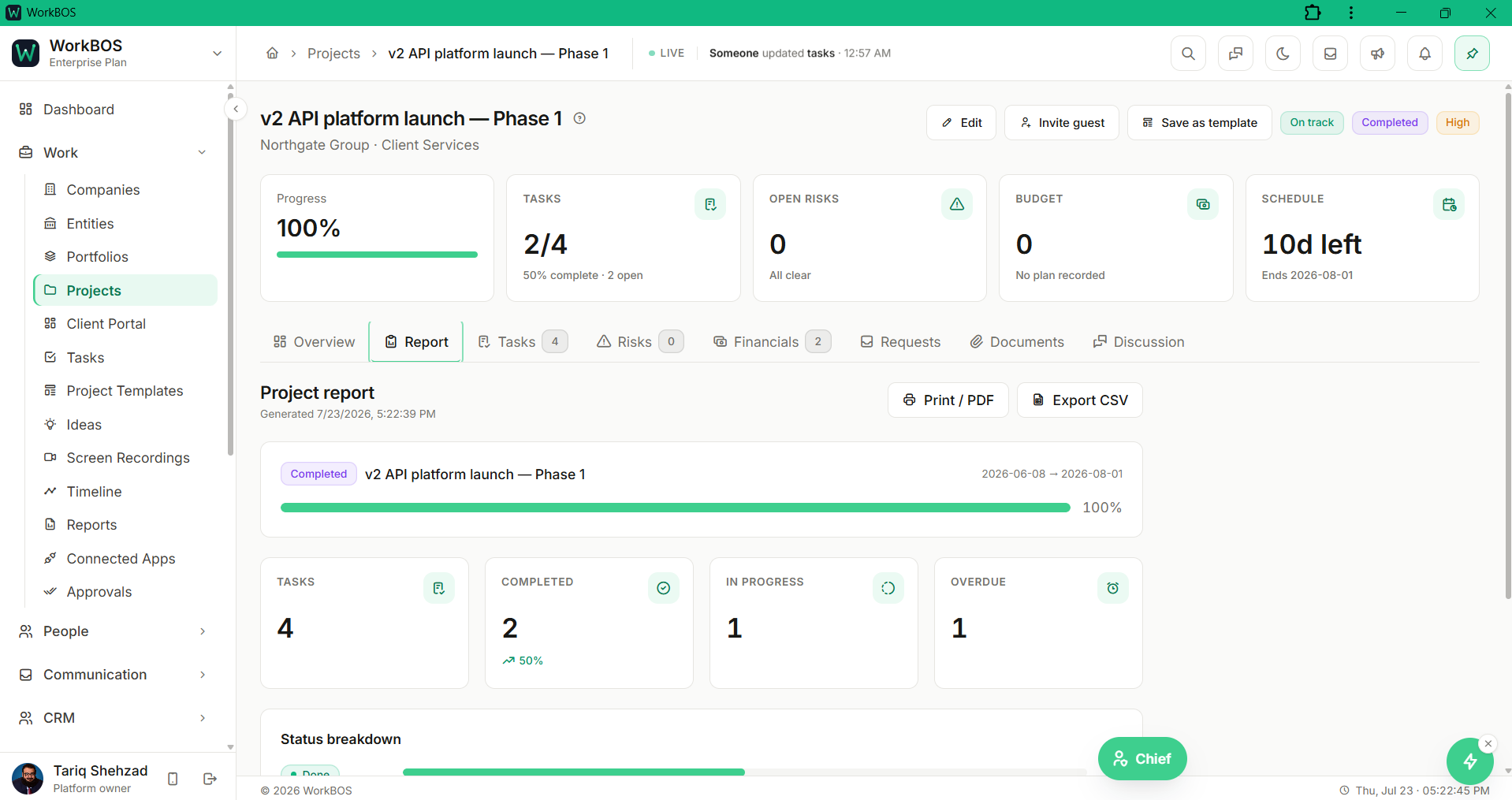
Pick a pack, Project Status, Client QBR, Pipeline Review, Finance Summary, Agent ROI or an admin-only Agent Compliance Pack, and it is assembled live from your own data, branded in your workspace colour and ready to print. Schedule it to regenerate on its own, save a copy to Drive, or share just that one report to your Client Portal.
Free for up to 5 users. Pro free for 30 days. No card.
Why this exists
- A client asks for a status update, and the honest answer means opening four different screens to put one together.
- The report someone built well last quarter is a document nobody can find, let alone regenerate, this quarter.
- Sharing progress with a client usually means exporting a screenshot, or handing them a login that shows far more than the one number they asked about.
What it does
What it does
01Generate a branded pack from live data
Pick a report type and, where one applies, its subject (a project or a client). WorkBOS assembles it live from what is already in your workspace, through the same permission-checked queries as everywhere else, not a static export someone edited by hand.
02Choose the pack that answers the actual question
Project Status covers one project’s timeline, tasks and progress; Client QBR covers one client’s tenure, relationship and invoicing. Pipeline Review, Finance Summary and Agent ROI summarise the whole workspace, and an Agent Compliance Pack gives admins a governance ledger of every AI-agent action over a window you choose.
03Print it, or hand it a home in Drive
Print / Save PDF opens a clean, chromeless copy for your browser’s print dialogue, and Save to Drive keeps a dated copy as a real file you can share with Drive’s own links, internal or public.
04Put a report on a schedule instead of remembering it
Turn any report into a standing job that regenerates daily, weekly or monthly, and optionally emails it to the people who need it, with a clear note that email delivery draws on your workspace’s sending quota before you turn it on. Pause, resume or delete a schedule from the Reports list at any time.
05Show a client exactly one report, nothing else
Reports are hidden from portal and guest users by default. Share to portal switches on just that one report in the branded Client Portal, so a client sees the QBR or status pack you chose and nothing else in your workspace.
06Ask for it in plain English
Tell your Chief "generate a pipeline review" or "build a project status report for the Onboarding project" and it creates the report within your own permissions and hands you the link.
The honest part
What it does not do
The part you would otherwise find out in week three. If one of these is central to how you work, raise it before you buy rather than after.
Questions
Questions, answered
Can I design my own report layout?
Not today. Six pack types are built: Project Status, Client QBR, Pipeline Review, Finance Summary, Agent ROI and, for admins, Agent Compliance, and each renders on a fixed layout in your brand colour.
Does a report update itself after I create it?
No. It is a snapshot of the moment you generated it, and putting it on a Schedule regenerates a fresh one automatically on the cadence you choose, so you get a dated history rather than one document quietly going stale.
Will my client get a login to see everything?
No. Reports are hidden from portal and guest users by default, and Share to portal switches on just the one report you choose in the branded Client Portal. Nothing else in your workspace becomes visible to them.
Does scheduled email send a PDF?
It sends a link to open the report, not an attached file. Print / Save PDF on the report itself uses your browser’s own print dialogue whenever you want an actual PDF.
The full product documentation for this module is at /docs/reports.
Read next
Every plan
Projects and tasks
Every plan
Invoicing and payments
Try it on your own data
Every module is in the same workspace, so nothing needs connecting to anything.
Free for up to 5 users. Pro free for 30 days. No card.