Make the whole product look like yours, then sell it as yours
Every workspace sets its own theme, style, logo and colours. On the White-label plan the product carries your name too, and the reseller console lets you open client workspaces under your brand.
Free for up to 5 users. Pro free for 30 days. No card.
Why this exists
- Client-facing software that shows somebody else’s logo makes your business look smaller than it is.
- Agencies rebuild the same setup by hand for every new client.
- A brand set in one place and forgotten in another means invoices, emails and the app all look different.
What it does
What it does
01Theme the workspace
Administration > Appearance sets the layout, palette and density everyone sees, and can let each person choose their own theme. Light and dark stay a personal toggle on every device.
02Pick an interface style
Ten styles change corners, borders, shadows and surfaces: Standard, Minimal, Flat, Material, Skeuomorphic, Soft, Glass, Bento, Neo-brutalism and Clay, each shown as a live preview.
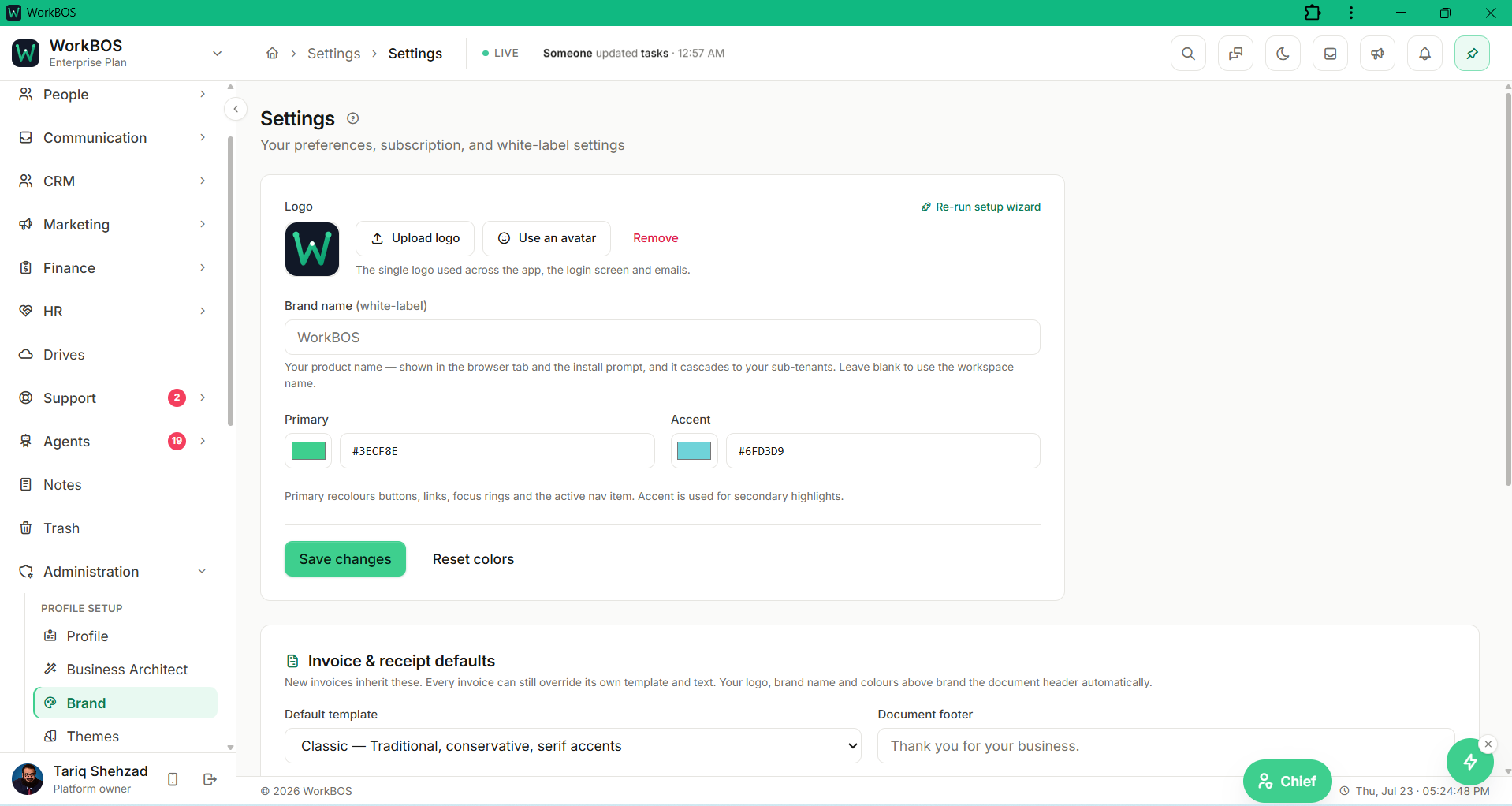
03Put your brand on everything
The Brand tab sets your logo, primary and accent colours and invoice and receipt defaults, so invoices, the client portal and the app share one look.
04Use your own product name
On the White-label plan the brand carries your product name, logos, support address, Terms and Privacy links, the assistant’s name and the web address the product answers on.
05Open client workspaces under your brand
The reseller console creates sub-tenant workspaces, each with its own login, data and team, and shows member and seat counts with a wholesale billing summary. You bill your own clients directly.
06Start every client from your setup
Save a snapshot of a master workspace: lists, task statuses, tags, branding, custom fields, role templates, document templates and your AI agent team. A new client starts configured, with automations copied as inactive drafts.
The honest part
What it does not do
The part you would otherwise find out in week three. If one of these is central to how you work, raise it before you buy rather than after.
Questions
Questions, answered
Can every workspace change how WorkBOS looks?
Yes. Theme, style, logo and colours are on every plan. Replacing the product name itself, and reselling, are what the White-label plan adds.
Do my clients see WorkBOS anywhere?
On the White-label plan every workspace under you inherits your brand live: the product name, the logos, the emails they receive and the web address they sign in on.
Does a snapshot copy my client data?
No. It copies the setup, such as lists, fields, roles, templates, branding and agents. A new client starts with your setup and a clean slate.
The full product documentation for this module is at /docs/reselling.
Read next
Pro and up
Client portal
Every plan
Invoicing and payments
Every plan
Security and audit
Try it on your own data
Every module is in the same workspace, so nothing needs connecting to anything.
Free for up to 5 users. Pro free for 30 days. No card.